Integrating HoneyWire with Wazuh SIEM
Wazuh is a powerful SIEM, but like many traditional security platforms, it often struggles with a high volume of false positive alerts generated by legitimate behavior, misconfigurations, and noisy environments. HoneyWire is a purpose-built deception engine designed to solve this. By deploying lightweight decoys that have zero legitimate business purpose, HoneyWire ensures that any interaction is intrinsically malicious. Feeding these high-fidelity deception alerts directly into Wazuh enables security teams to correlate threats and execute automated incident response with confidence.
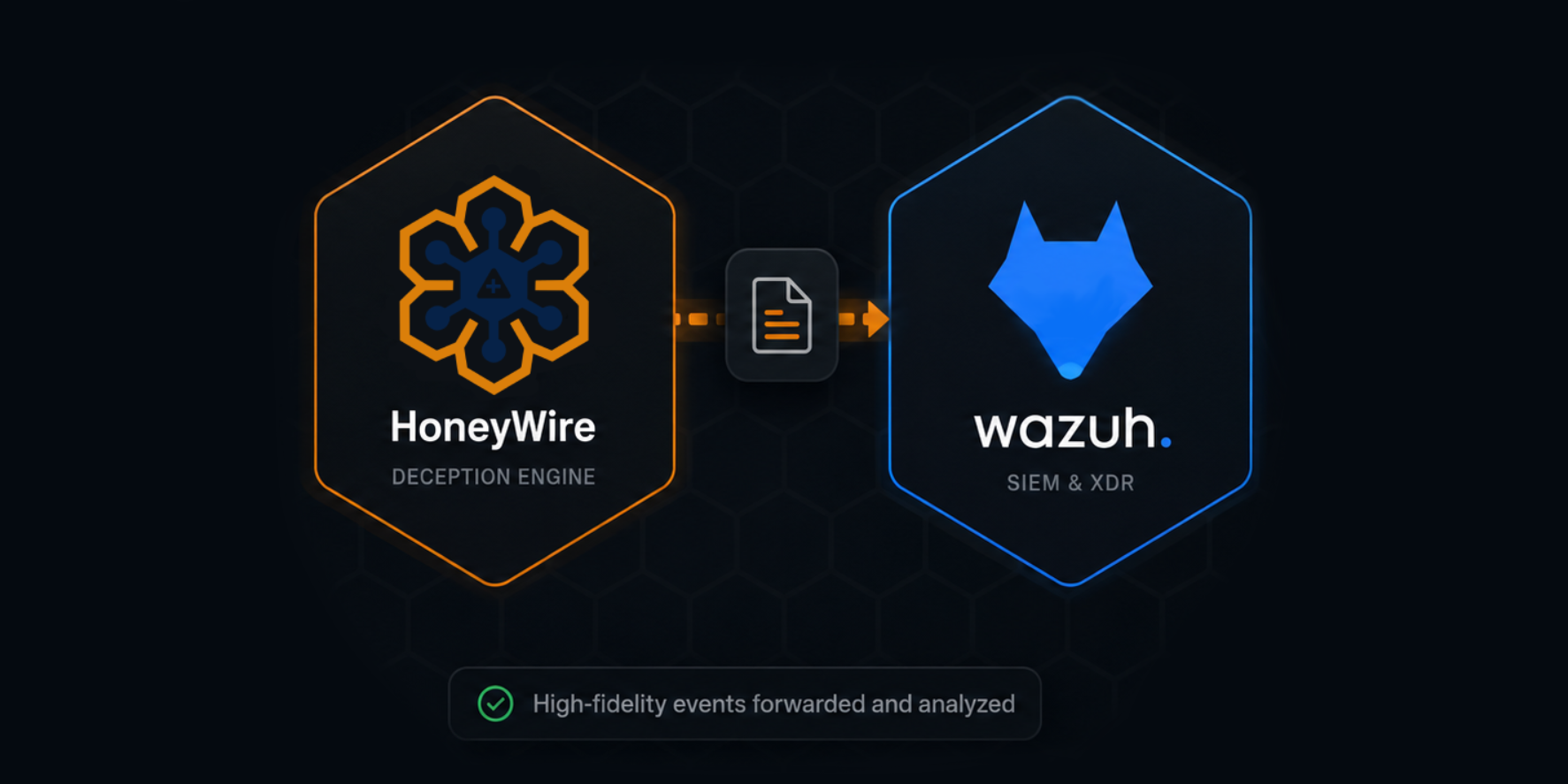
Integrating HoneyWire into a Wazuh deployment requires configuring a Syslog listener in Wazuh, implementing a custom decoder for payload extraction, defining custom correlation rules, and finally configuring the HoneyWire Hub to forward events. The following guide outlines the necessary configuration steps.
Configure the Wazuh Syslog Listener
First, Wazuh must be configured to accept incoming Syslog streams from the HoneyWire Hub. Modify the manager configuration file located at /var/ossec/etc/ossec.conf by appending the following <remote> block inside the main <ossec_config> section.
  <remote>
    <connection>syslog</connection>
    <port>514</port>
    <protocol>udp</protocol>
    <allowed-ips>{HONEYWIRE_HUB_IP}</allowed-ips>
  </remote>
[!Note] Ensure the
<protocol>directive matches the transport protocol you plan to configure on the HoneyWire Hub. Additionally, verify that perimeter or host firewalls permit ingress traffic on the specified port originating from{HONEYWIRE_HUB_IP}.
Implement Custom Decoders
Wazuh’s native Syslog parser does not natively support RFC-5424 header structures yet. To bypass this, we utilize a prematch directive. This guarantees that the custom decoder intercepts the raw log payload and extracts the structured JSON telemetry before the default legacy syslog parser can drop it.
Append the following decoder logic to /var/ossec/etc/decoders/honeywire_decoders.xml:
<decoder name="honeywire">
  <prematch>honeywireSensor</prematch>
  <regex type="pcre2">trigger="([^"]+)" source="([^"]+)" target="([^"]+)" node="([^"]+)" sensor="([^"]+)" severity="([^"]+)" details=(\{.*?\})</regex>
  <order>hw_trigger, hw_source, hw_target, hw_node, hw_sensor, hw_severity, hw_details</order>
</decoder>
Define Correlation Rules
Next, define the alerting thresholds mapped to HoneyWire’s severity classifications. Append the following rule group to /var/ossec/etc/rules/honeywire_rules.xml:
[!Warning] Verify that the chosen rule IDs (
115001-115006) do not collide with existing active rules in your Wazuh environment.
<group name="honeywire,">

  <rule id="115001" level="3">
    <decoded_as>honeywire</decoded_as>
    <description>HoneyWire: $(hw_trigger) from $(hw_source) on $(hw_node)</description>
  </rule>

  <rule id="115002" level="3">
    <if_sid>115001</if_sid>
    <field name="hw_severity" type="pcre2">(?i)^info$</field>
    <description>HoneyWire Info: $(hw_trigger) from $(hw_source) on $(hw_node)</description>
  </rule>

  <rule id="115003" level="5">
    <if_sid>115001</if_sid>
    <field name="hw_severity" type="pcre2">(?i)^low$</field>
    <description>HoneyWire Low: $(hw_trigger) from $(hw_source) on $(hw_node)</description>
  </rule>

  <rule id="115004" level="7">
    <if_sid>115001</if_sid>
    <field name="hw_severity" type="pcre2">(?i)^med$|^medium$</field>
    <description>HoneyWire Warning: $(hw_trigger) from $(hw_source) on $(hw_node)</description>
  </rule>

  <rule id="115005" level="10">
    <if_sid>115001</if_sid>
    <field name="hw_severity" type="pcre2">(?i)^high$</field>
    <description>HoneyWire High: $(hw_trigger) from $(hw_source) on $(hw_node)</description>
  </rule>

  <rule id="115006" level="12">
    <if_sid>115001</if_sid>
    <field name="hw_severity" type="pcre2">(?i)^crit$|^critical$</field>
    <description>HoneyWire CRITICAL: $(hw_trigger) from $(hw_source) on $(hw_node)</description>
    <options>alert_by_email</options>
  </rule>

</group>
Apply Configuration
Restart the Wazuh manager daemon to compile and load the new decoders and rulesets:
sudo systemctl restart wazuh-manager
Configure HoneyWire SIEM Forwarding
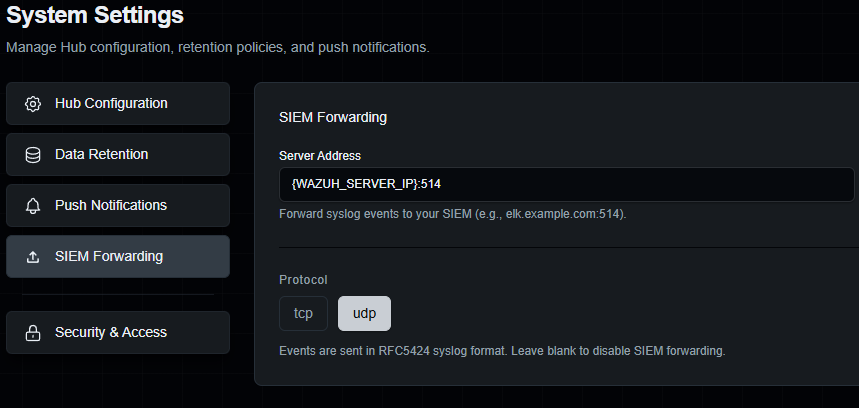
Now that Wazuh is listening and ready to parse incoming events, you need to configure your HoneyWire Hub to forward alerts. In the HoneyWire Sentinel dashboard, navigate to Settings -> SIEM Forwarding. Enter the IP address and port (default 514) of your Wazuh manager, select your preferred protocol (tcp or udp), and save the configuration.
Verify Telemetry Flow
To validate the integration pipeline, trigger a mock event against a HoneyWire sensor (e.g., execute an unauthorized SSH login attempt, or by running honeywire firedrill if using the HoneyWire CLI tool). Monitor the Wazuh alert logs to confirm the event was successfully parsed and indexed:
sudo tail -f /var/ossec/logs/alerts/alerts.json | grep -i honeywire
Once validated, the normalized telemetry will populate in your Wazuh security dashboards:
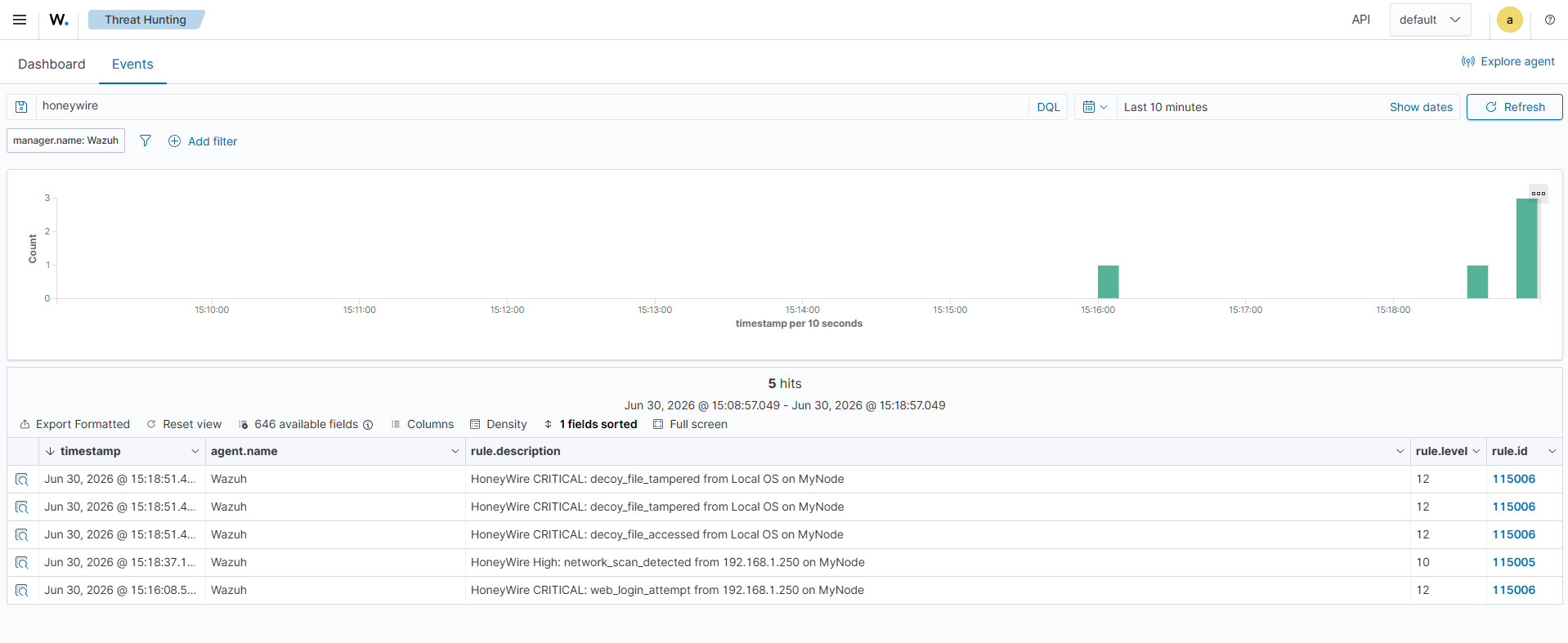
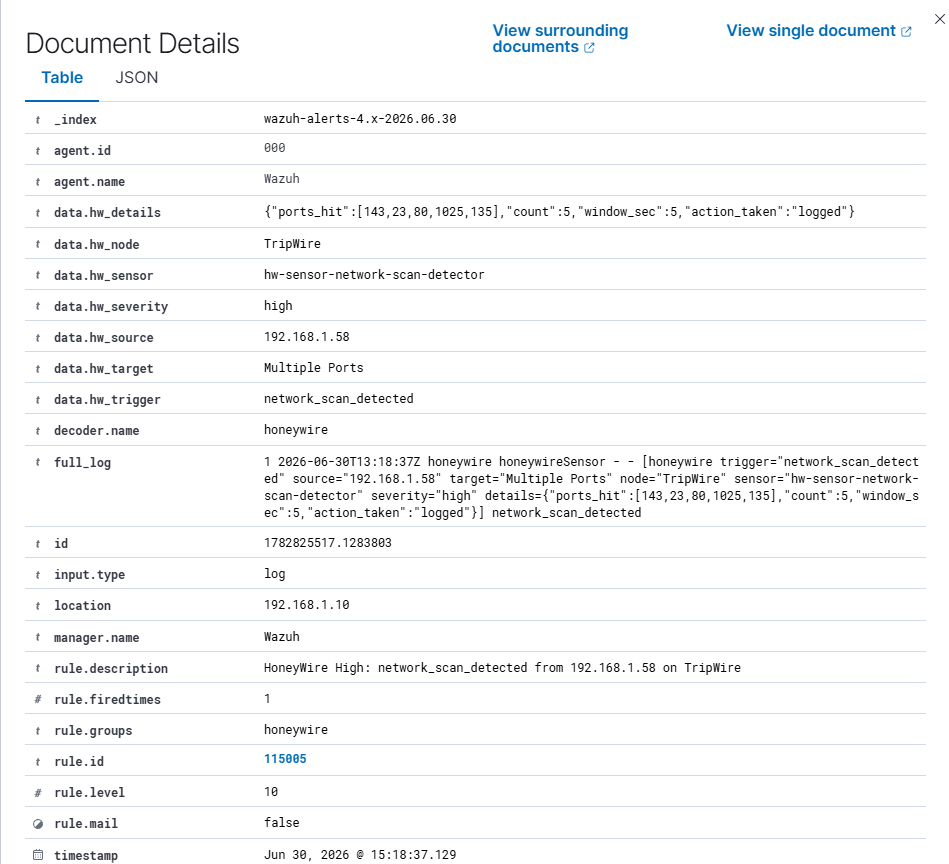
Investigating specific alerts will reveal the custom HoneyWire attributes cleanly mapped into Wazuh’s structured fields:
Troubleshooting Pipeline Issues
- Missing Ingress Traffic: Execute
tcpdump -i any port 514on the manager node to verify Syslog packets are traversing the network. If no packets are captured, audit upstream firewalls and routing tables. - Decoder Failures: Utilize the
wazuh-logtestbinary to ingest a raw HoneyWire Syslog payload. This allows you to simulate the pipeline and ensure the payload matches the custom decoder and triggers the appropriate rule.